PortfolioEnslaved Texas case study
Enslaved Texas: from handwritten ledgers to a map anyone can search
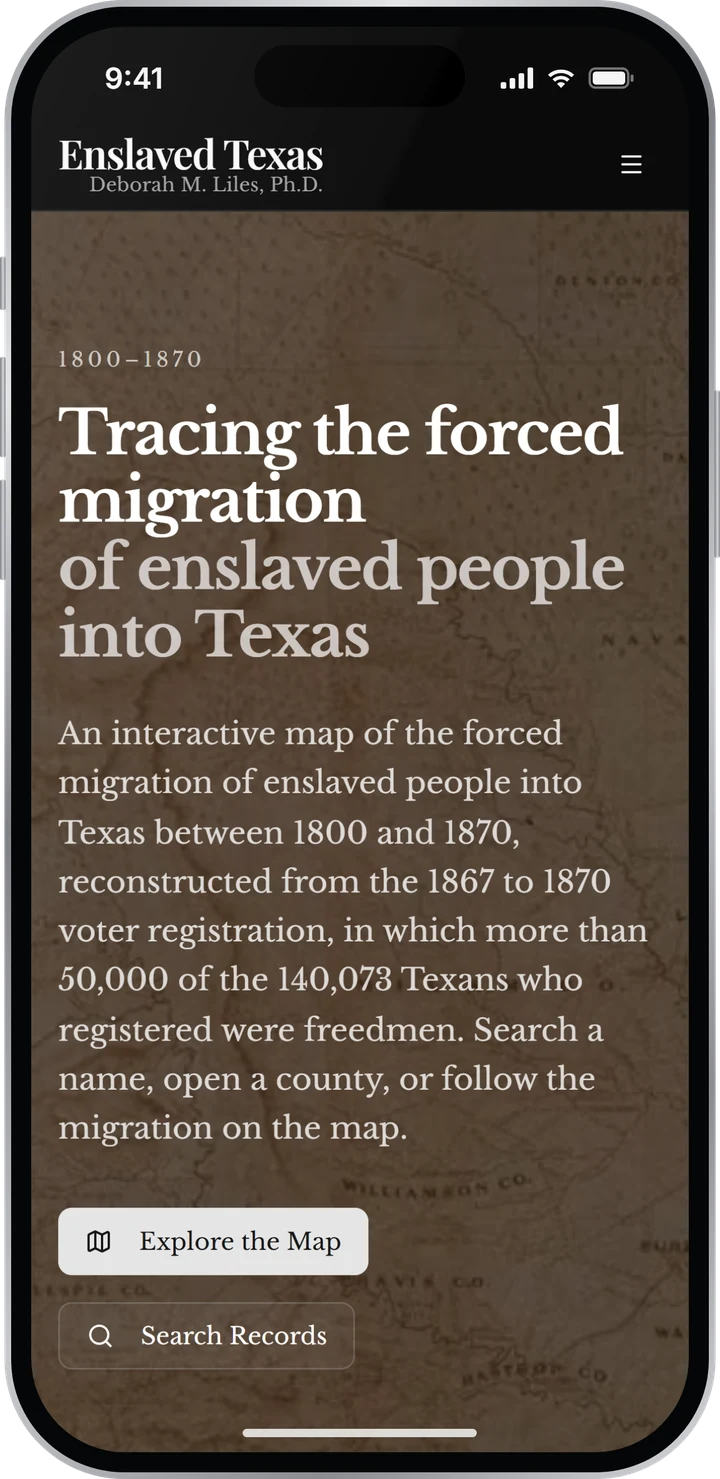
Enslaved Texas is a nonprofit led by historian Deborah M. Liles, Ph.D. It traces the forced migration of enslaved people into Texas through the handwritten voter registers of 1867 to 1870, where more than 50,000 freedmen gave their names, birthplaces and years in Texas. We designed and built the software that turns those 160-year-old pages into data anyone can search: the map, the search, and the AI that does the reading, with people making the judgment calls.
Here’s how we built it, and why the same approach matters for your business.
Real Enslaved Texas screens. Map tiles © CARTO, map data © OpenStreetMap contributors.
The challenge
The records existed. Almost nobody could use them.
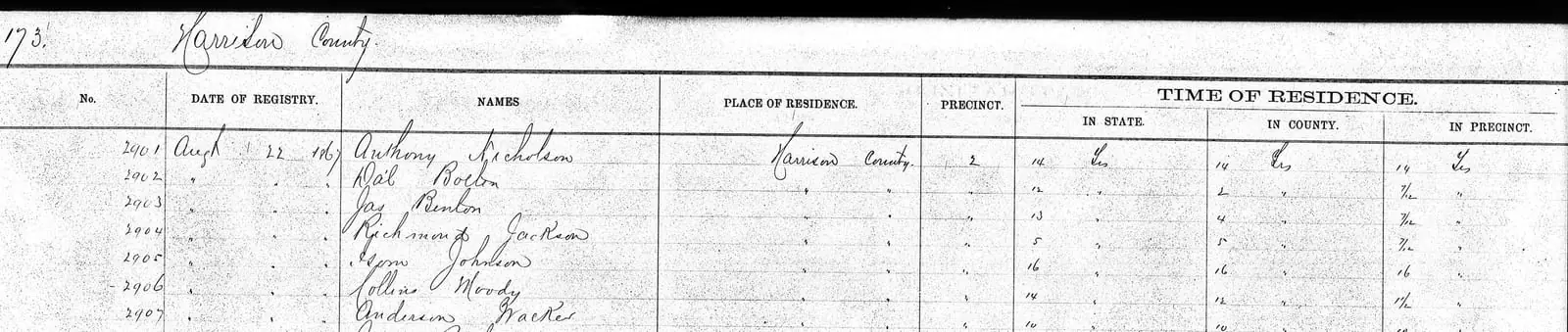
In 1867, boards of registrars across Texas wrote down every man who registered to vote: his name, residence and birthplace, and how long he had been in the state, the county and the precinct. More than 50,000 of the 140,073 men were freedmen, many registering for the first time. For many, it’s the earliest record that names them.
The ledgers have been scanned, but the public index gives little more than a name, a date, a residence and a birthplace. The rest sat in about 7,000 pages of 160-year-old handwriting, where each entry runs across two facing pages and the only sign a man was a freedman is a note in the remarks column.
Most businesses know a version of this problem: valuable data trapped in filing cabinets, scanned PDFs or an old system, where nobody can search it. To be useful, Enslaved Texas had to:
- Combine the archive’s index, the historian’s research and machine readings of the pages, and settle where they disagree.
- Show where every record came from, down to the line on the page.
- Let anyone find an ancestor by name, even when the spelling has changed.
- Make the scale of the migration visible at a glance.
- Let volunteers correct the machines’ work without putting published records at risk.
- Say plainly what the records don’t tell us, instead of guessing.
The approach
Four decisions that made it work
Every business has valuable data trapped somewhere: in filing cabinets, in scanned PDFs, in a system nobody wants to touch. Enslaved Texas had about 7,000 pages of 160-year-old handwriting. The job was to turn them into priceless data, and to make that data easy for anyone to use.
Nobody should have to read 7,000 pages of handwriting to find one name.
AI can finally unlock data like this, but only when the software around it is built for the people who will use it: a descendant with a surname and a county, a student with an assignment, a historian checking a source, and the volunteers who check the machines’ work. That’s product management, and it’s at the center of how we build. Each decision below maps to a problem your business probably has too.
AI does the dirty work. People make the judgment calls.
Reading 7,000 pages of 160-year-old handwriting is the kind of messy, labor-intensive job that sits undone for years. We don’t just point AI at it; we layer AI on AI verification. Several models read the pages and check one another, and every reading is weighed against a network of trust signals: the other machines, the state archive’s index and the historian’s own research. Each record earns a confidence level. Where the signals agree, it settles itself. Where they don’t, a person decides, so people spend their time only on the lines that are truly unclear.
Data like this is messy, which is why it had never been done. Every county’s registrars kept the books their own way, some splitting a column in two or fitting two men on one line. The volumes have since been rebound and microfilmed, and in 55 of the 125 counties the scanned pages don’t run in simple left-and-right pairs. On the first pass, only three names in ten matched. Once the pages were paired back up and the models had the archive’s index to work from, a test county’s readings matched the index on 98.7% of surnames.
Why it matters for your business
AI can finally take on the work you’ve put off because it would take a team weeks: invoices, forms, contracts, decades of paper files. What makes it dependable is the verification around it: machines checking machines, a confidence level on every record, and your people deciding only what’s truly unclear. We build that in from the start.
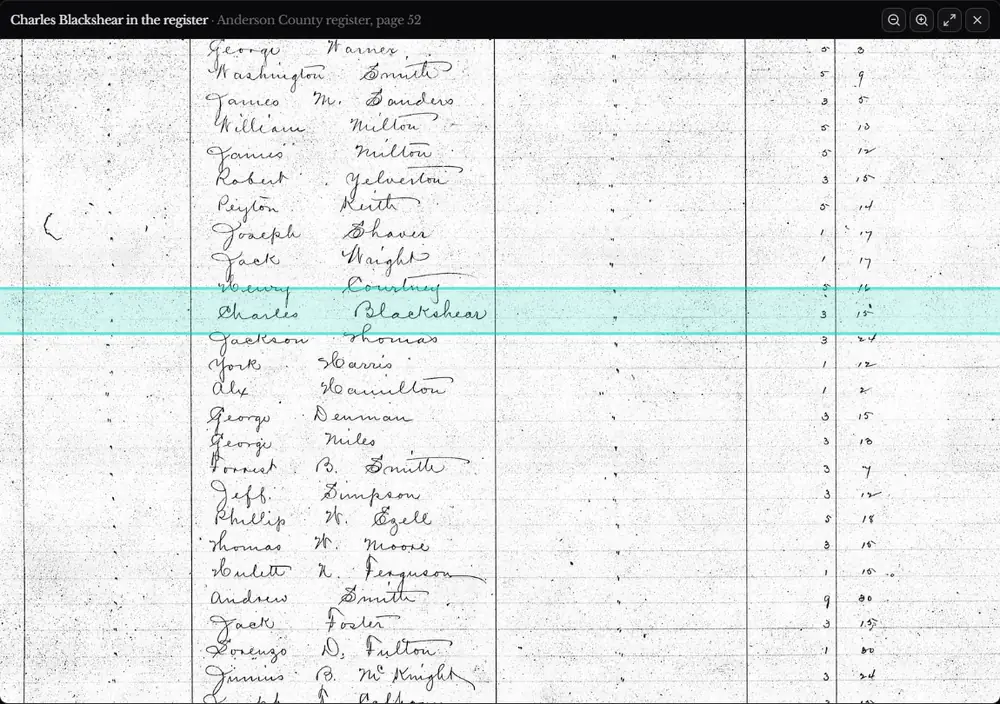
Every record leads back to the page it came from
Each of the more than 30,000 record pages opens its original register page in one tap, zoomed to the right line and highlighted, so anyone can compare the typed record with the registrar’s handwriting. Every record also has a way to report a mistake.
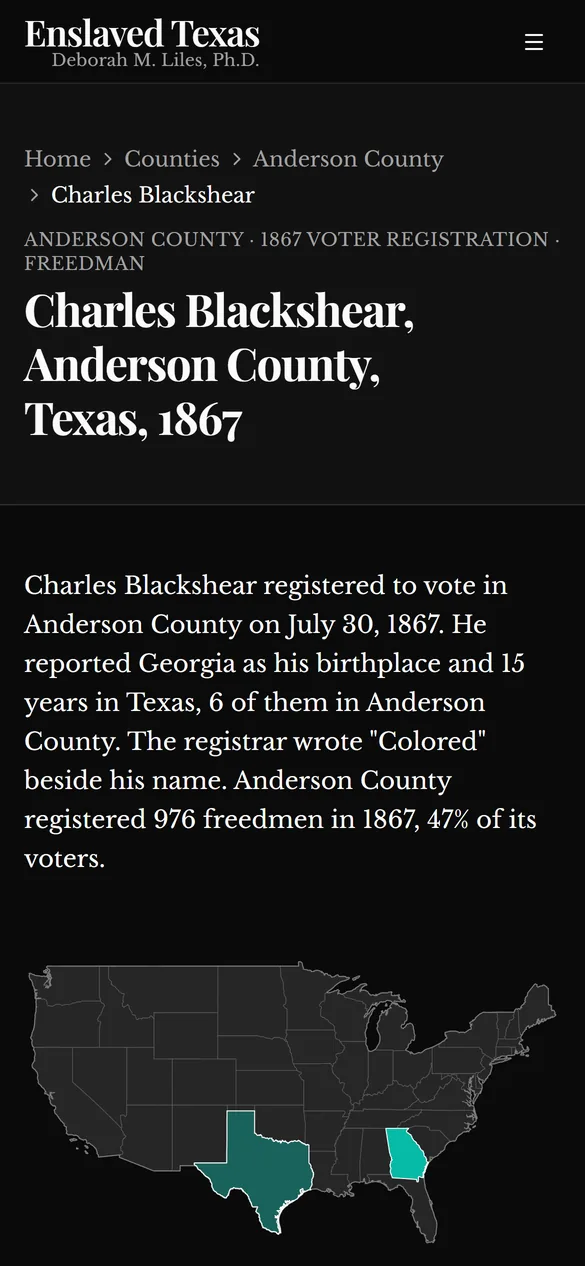
The site is just as careful about what it doesn’t know. The man in this record reported 15 years in Texas but only six in Anderson County. Rather than guess where the other nine were spent, the map counts them as “in Texas, county unknown.” And the site says it’s in early access, because names and counts will change as the review goes on.
Why it matters for your business
When data drives decisions, people need to know where a number came from. We design systems that keep the link to the source, show what has been checked, and admit what they don’t know. That’s what lets your team, your auditors and your customers trust what’s on the screen.
Built for families searching for a name, not only for scholars
Most visitors aren’t historians. They arrive with a surname, maybe a county, and a spelling that may have changed since 1867. So the search forgives misspellings and old spelling variants, and filters by county, birthplace and year of arrival. Every county has a plain-language page that answers the questions people actually ask, like how many freedmen registered there and where they were born.
It’s built for the phone most people search on, too: when the site took more than eight seconds to appear on a phone, we cut that to under three and a half.
Why it matters for your business
Your customers and staff aren’t specialists either. Software designed around how they already look for things gets used without a training manual, so the data you worked to unlock actually earns its keep.
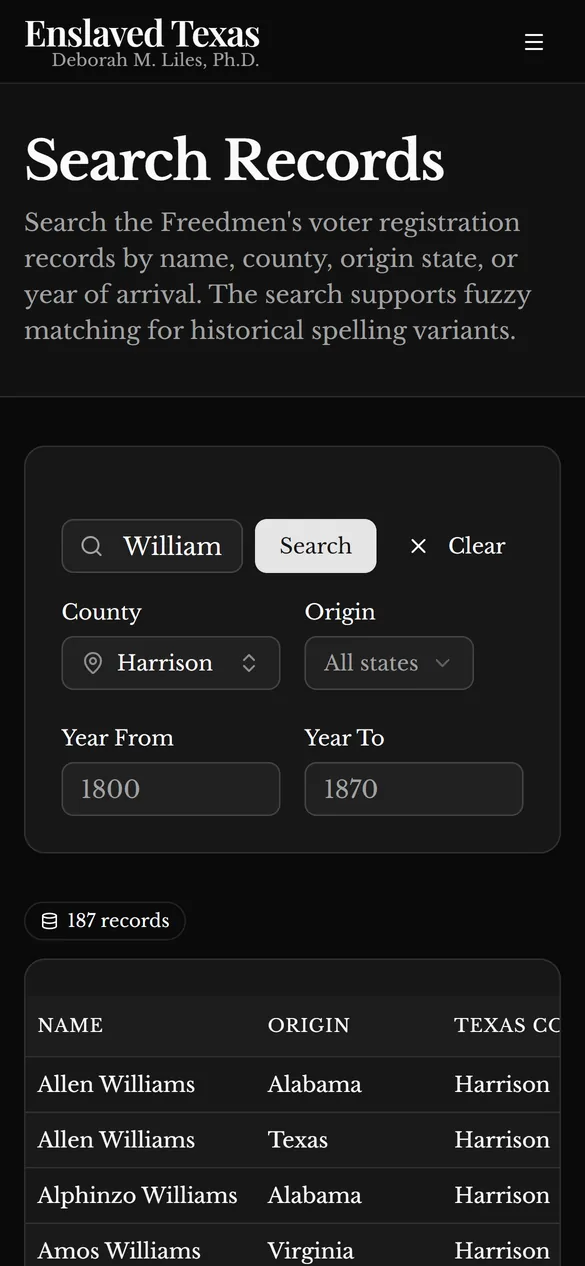
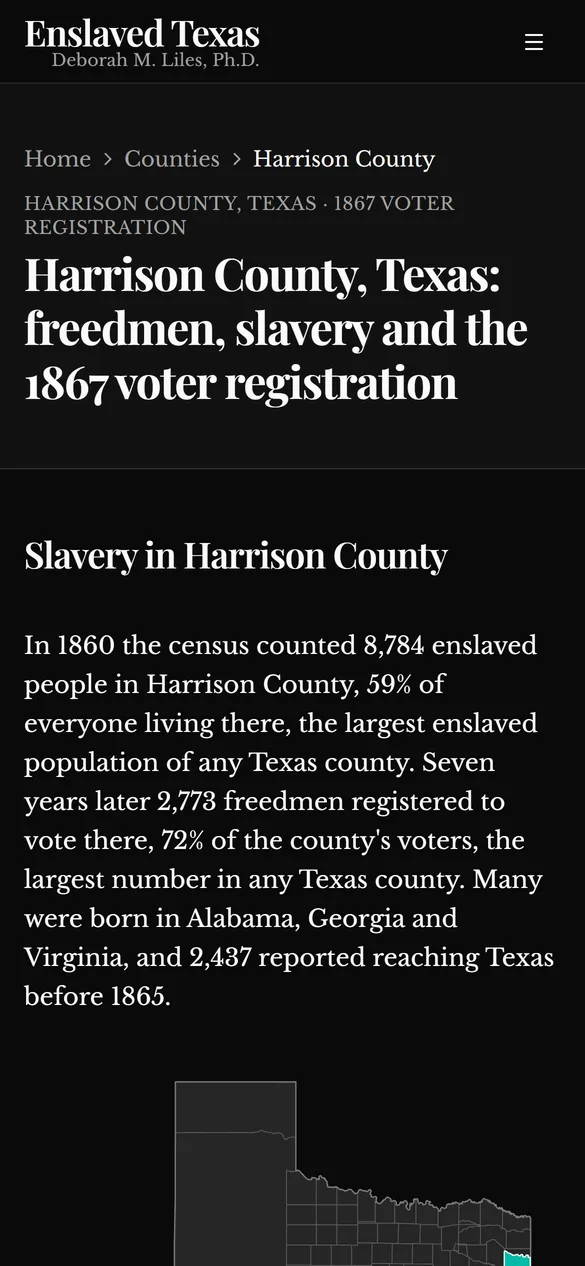
Search that forgives old spellings, and a county page written in plain language: real screens, shown without browser chrome.
More than 50,000 stories a first grader can follow
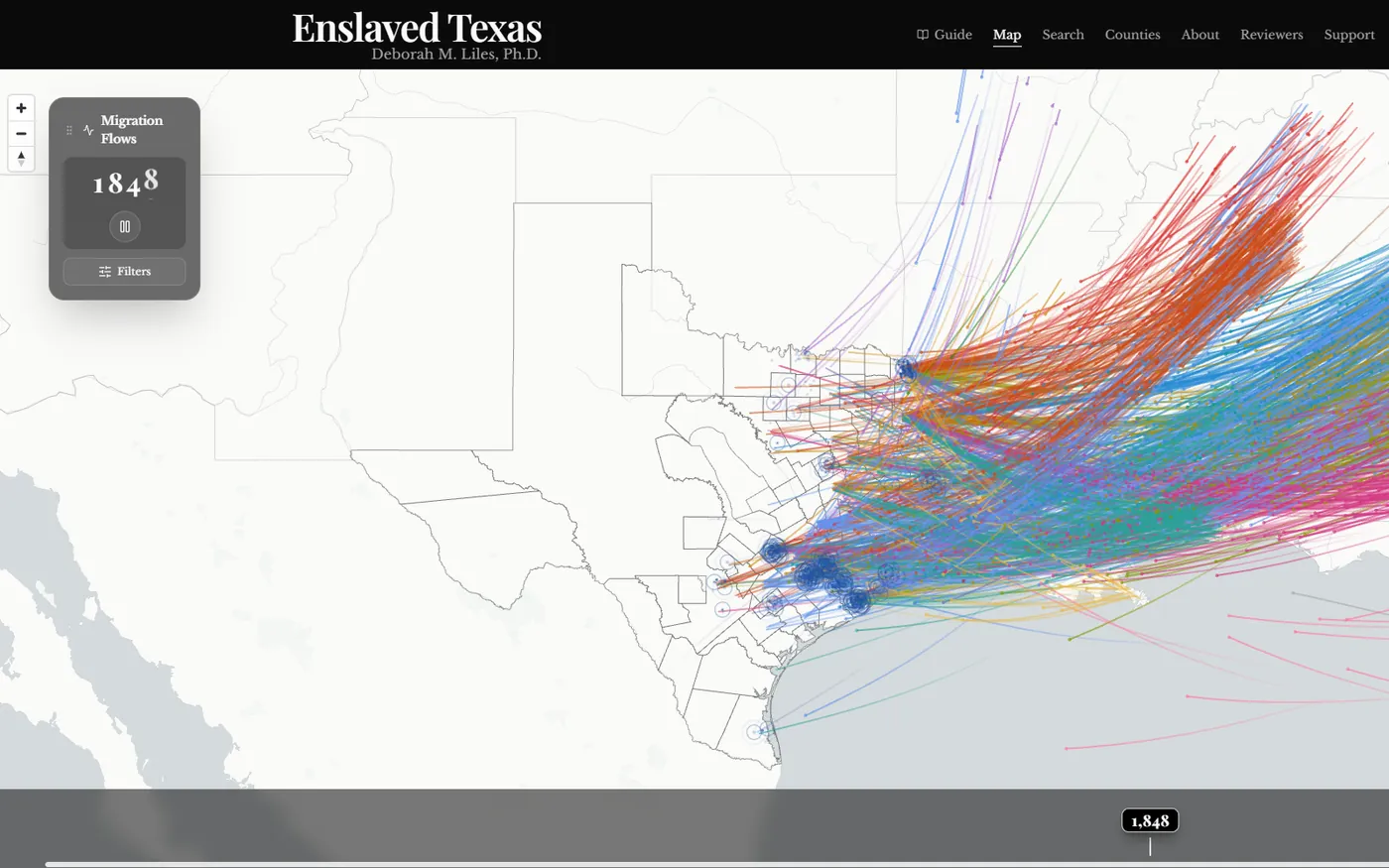
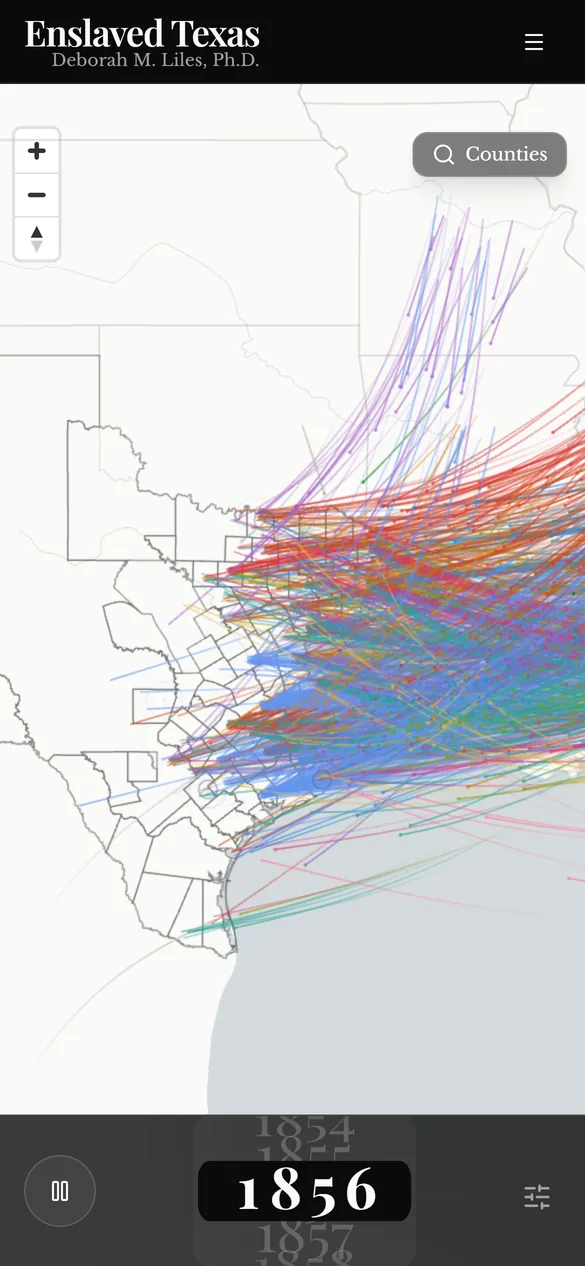
How do you tell the stories of more than 50,000 people, written down by hand 160 years ago, so that a first grader in 2026 with a two-minute attention span understands them? We built a map. Press play and 70 years unfold, each dot one person, moving from the state where he was born to the county where he registered, over county lines that change as Texas’s did.
That took more than AI. It took an understanding of how people take in information, which tool fits each job, and the engineering to make tens of thousands of moving dots play smoothly on an ordinary laptop or phone; we tuned the map until it ran almost four times as smoothly on an entry-level machine. That mix of technology, business sense and product design is what we bring to every project.
Why it matters for your business
Your data has a story in it too: where customers come from, where jobs stall, which routes cost the most. Once it’s unlocked, the right map, dashboard or timeline tells that story in seconds, to anyone, on the devices they already have.